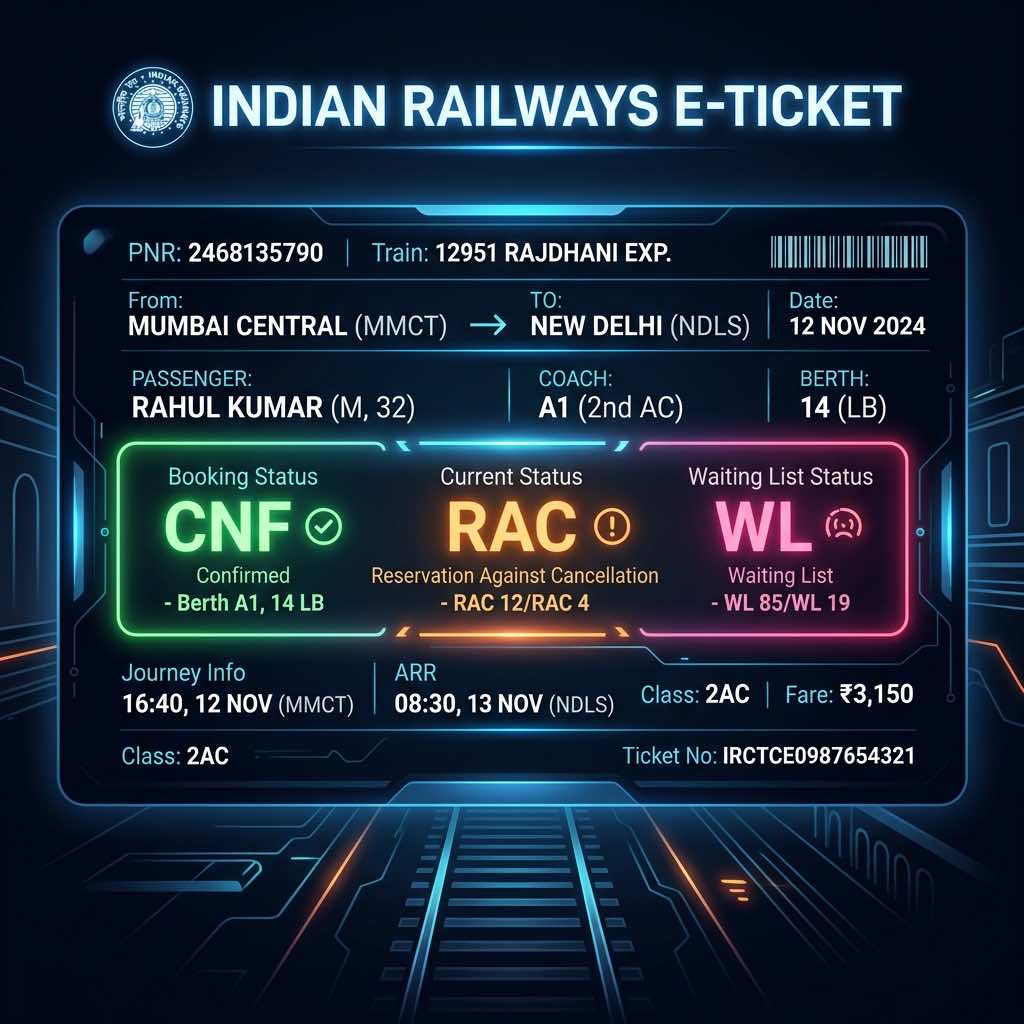
Passenger Name Record (PNR) is a 10-digit number provided on your Indian Railways train ticket. It acts as a unique identifier containing all your travel details, including passenger names, age, gender, train number, travel date, and boarding station.
Why is PNR Status Important?
When you book a train ticket, you might get a Confirmed (CNF), Waitlisted (WL), or Reservation Against Cancellation (RAC) status. Checking your PNR status helps you know if your waitlisted ticket has moved to RAC or Confirmed, and whether the chart has been prepared.
How to Check PNR Status with RailSafar
RailSafar provides a seamless, AI-powered interface to check your PNR status instantly. Simply open the chat interface and type your 10-digit PNR number, or say "Check PNR [10-digit-number]". RailSafar will instantly retrieve your current status, coach details, and berth numbers.
Did you know? RailSafar uses smart database lookups to fetch live statuses directly from Indian Railways, ensuring your details are up-to-date within seconds without annoying captchas.
Understanding PNR Status Codes
- CNF (Confirmed): Your seat is confirmed.
- RAC (Reservation Against Cancellation): You are allowed to board the train, but you will share a berth with another passenger.
- WL (Waitlisted): You do not have a confirmed seat and cannot board a reserved coach unless the ticket gets confirmed or moves to RAC before chart preparation.
- CAN (Cancelled): The passenger has cancelled the ticket.